
By Bushra | AIEarningHubb.com
I used to spend 20–30 minutes writing descriptions for every YouTube video and blog post. And honestly? Most of them were terrible.
I would just summarize what the content was about, throw in a few keywords randomly, and call it done. My videos had low click-through rates. My blog posts were not getting indexed. I had no idea the description was part of the problem.
Then I started using an AI Description Generator — and things changed fast.
In this post, I am going to show you exactly how I use AI to write descriptions for both YouTube videos and blog posts, why descriptions matter more than most beginners think, and how you can do this for free starting today.
Why Your Description Is More Important Than You Think
Most beginners focus only on the title. I was the same. But here is what I learned the hard way:
For YouTube: The description is what YouTube’s algorithm reads to understand your video. It helps decide which search results your video shows up in. A weak description = fewer impressions = fewer views.
For blog posts: The meta description is what shows up under your title in Google search results. It directly affects whether someone clicks your link or the one below it. Even if you rank on page one, a bad description kills your click-through rate.
Both are small pieces of text. But both carry serious weight.
What Makes a Good Description (YouTube vs Blog)
Before I started using AI, I did not even know these were different. Now I always keep them separate.
YouTube Description
A strong YouTube description should:
- Open with 2–3 lines that include your main keyword (this part shows before “show more”)
- Mention what the viewer will learn or get from watching
- Include 3–5 relevant keywords naturally throughout
- Have timestamps if your video is longer than 5 minutes
- End with a call to action (subscribe, comment, check the link)
Blog Meta Description
A strong blog meta description should:
- Be between 150–160 characters (Google cuts off anything longer)
- Include your target keyword once, naturally
- Create curiosity or promise a clear benefit
- Sound like a human wrote it, not a robot
The problem is — writing both of these well, for every single piece of content, takes time. That is where the AI Description Generator comes in.
How I Use the Free AI Description Generator on AIEarningHubb
I built this tool specifically for content creators and bloggers who do not want to waste time on the technical writing side.
Here is my exact process:
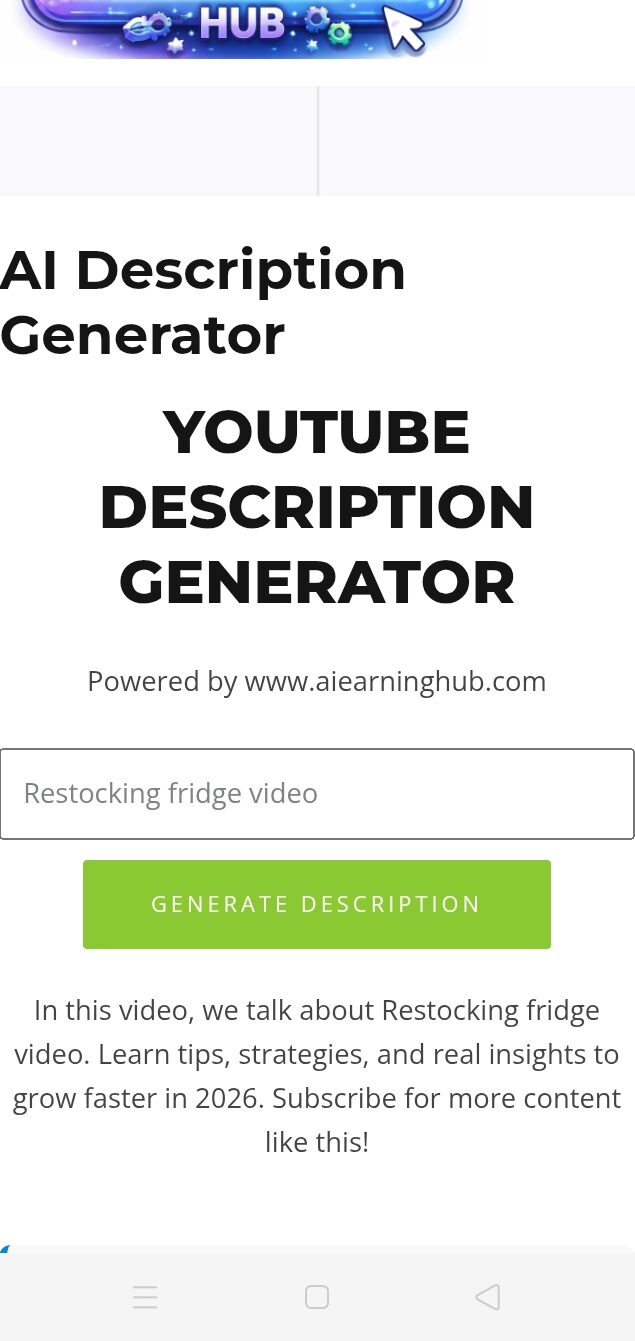
Step 1: I go to the AI Description Generator on AIEarningHubb and enter my content topic or paste my title.
Step 2: I select whether I need a YouTube description or a blog meta description.
Step 3: The tool generates an optimized description in seconds.
Step 4: I read it, tweak anything that does not sound like me, and paste it directly into YouTube Studio or my blog editor.
The whole thing takes under 2 minutes now instead of 20.
Real Example: What I Changed and What Happened
I had a YouTube video about free AI tools for beginners that was getting almost no views despite a decent title. The description was two sentences long and had zero keywords.
I ran it through the AI Description Generator, got a 150-word description with natural keyword placement, a clear hook in the first two lines, and a soft CTA at the end.
Within two weeks, that video started showing up in YouTube search for “free AI tools for beginners.” Not viral — but visible. That is all I needed.
Same thing happened on a blog post. I updated three old meta descriptions using the tool. Two of those posts saw a small but real bump in clicks in Google Search Console within a month.
Small changes. Real results.
Where Your Blog and YouTube Actually Live Matters Too
Here is something I want to mention because I see beginners skip this.
An optimized description helps. But if your blog is slow, hosted on a free subdomain, or looks unprofessional — Google and YouTube viewers both notice.
For my blog at AIEarningHubb.com, I use Hostinger for hosting. It is affordable (one of the cheapest reliable options I found), loads fast, and gives you a proper domain email which matters for AdSense approval. If you are starting your blog from scratch, I recommend checking Hostinger here — it is what I use personally.
For managing your email list, selling digital products, or building simple funnels without paying for five different tools, Systeme.io has a free plan that covers a lot. I use it for my digital product setup. You can check Systeme.io here — it is genuinely free to start, not a trick.
These are tools I actually use. I only mention what I have tested.
Tips to Make AI Descriptions Sound More Like You
AI-generated descriptions can sometimes feel a little generic. Here is how I fix that in under 60 seconds:
- Add one specific detail — mention a number, a tool name, or a result (“I tested 7 tools so you don’t have to”)
- Change the opening line — make it a question or a bold statement in your own voice
- Remove filler phrases — words like “In this video, we will explore…” feel robotic. Cut them.
- Add your keyword one more time if it fits naturally — do not force it
After those small edits, the description sounds like me. That matters for building an audience that recognizes your voice.
FAQ
Is the AI Description Generator completely free?
Yes. The tool on AIEarningHubb is free to use with no login required.
How long should a YouTube description be?
Aim for 200–350 words. The first 2–3 lines are the most important because they show before “show more.”
Does the meta description affect SEO ranking?
It does not directly affect ranking, but it affects click-through rate — which does influence how Google treats your page over time.
Can I use this tool for Instagram or LinkedIn captions too?
The tool is optimized for YouTube and blogs, but the output works well as a starting point for other platforms too.
How often should I update old descriptions?
If a post or video is getting impressions but low clicks, that is your signal to update the description. I do a mini audit every 2–3 months.
Final Thoughts
Writing descriptions used to feel like busywork to me. Now I see it as one of the highest-leverage things I can do in 2 minutes to improve my content’s performance.
If you are publishing blog posts or uploading YouTube videos and skipping the description — stop. It is a free ranking signal you are leaving on the table.
Use the free AI Description Generator here, spend 2 minutes per piece of content, and watch your clicks slowly improve.
That is what I do. It works.
Related Tools on AIEarningHubb: